

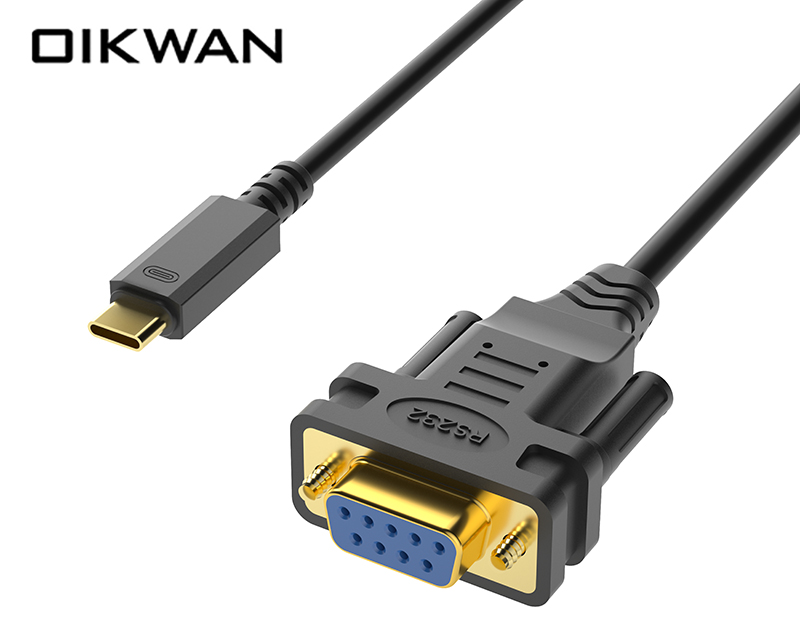
USB interface: Provides a USB physical interface to connect to USB devices through a USB cable. The entire USB to serial port cable does not require an external power supply and can be powered directly by USB.
DB9 serial port interface: Using standard DB9 pin design, it can directly communicate with the device. The DB9 interface is a commonly used interface in serial communication. It has 9 pins, each of which has its own specific function definition.
RS-232 standard: On traditional computers, serial ports usually use the RS-232 standard for communication. This standard specifies the electrical characteristics, signal level, transmission rate and other parameters of serial communication.
The working principle of the USB to DB9 RS232 serial port cable is mainly to convert USB signals into RS-232 serial port signals through the internal chipset. This conversion involves the conversion of communication protocols, level conversion and conversion implemented through chips.
1. Communication protocol conversion: USB interface and serial port interface use different communication protocols. Therefore, patch cords need to convert these protocols to each other to ensure that data can be transmitted correctly.
2. Level conversion: The level standards of USB interface and serial port interface are also different. The adapter cable needs to convert the level of the USB interface to the level of the serial interface to ensure that the signal can be correctly recognized and processed.
3. Chip implementation conversion: This conversion is usually achieved through the chipset inside the adapter cable. The chipset contains the necessary circuitry and logic to complete the conversion described above.
Scope of application: USB to DB9 RS232 serial cable is widely used in industrial control, network equipment maintenance, serial device debugging and other fields. Users can use this adapter cable to connect the computer to various serial devices and transmit data.
Features:
Compatibility: Supports multiple operating systems and serial port devices, making it convenient for users to use in different environments.
Stability: Made with high-quality materials and processes to ensure the stability and reliability of data transmission.
Ease of use: Usually equipped with detailed driver installation guidelines and port setting instructions to facilitate user installation and configuration.
When using USB to DB9 RS232 serial cable, it is usually necessary to install the corresponding driver to ensure the normal operation of the device. The driver is the bridge of communication between the computer and the device. It can identify the device and provide it with the necessary resources and functional support. Users can obtain and install the latest drivers from the official website of the device manufacturer or the driver download website.
The USB to DB9 RS232 serial cable is a convenient and practical tool that enables users to connect and communicate with traditional serial devices through the USB interface of modern computers.
For business cooperation, please contact the following staff:
Niko Peng, phone number:+86 15797958662;