

Both ends of the SATA data cable are connected to the motherboard and storage device respectively, and the interface is designed in an L shape. This design helps ensure correct connection and prevents damage caused by plugging in the wrong direction. SATA data cables are usually thinner and easier to manage. In addition, most SATA data cables adopt a shielded design to reduce electromagnetic interference and ensure the stability of data transmission.
Features and Compatibility
1. Hot-swappable support: Many sata devices support hot-swappable functionality, which means the storage device can be plugged and unplugged while the computer is running without turning off the power. This feature provides users with great convenience.
2. Compatibility: SATA data cables generally have good compatibility and can connect SATA storage devices of different brands and models. However, to ensure optimal performance and compatibility, it is recommended to choose a SATA data cable that matches the motherboard and storage device interface type.
3. Length and signal quality: The length of SATA data cable is usually between 0.5 meters and 1 meter. A data cable that is too long may affect signal quality, so it is recommended to choose an appropriate length to ensure optimal transmission.
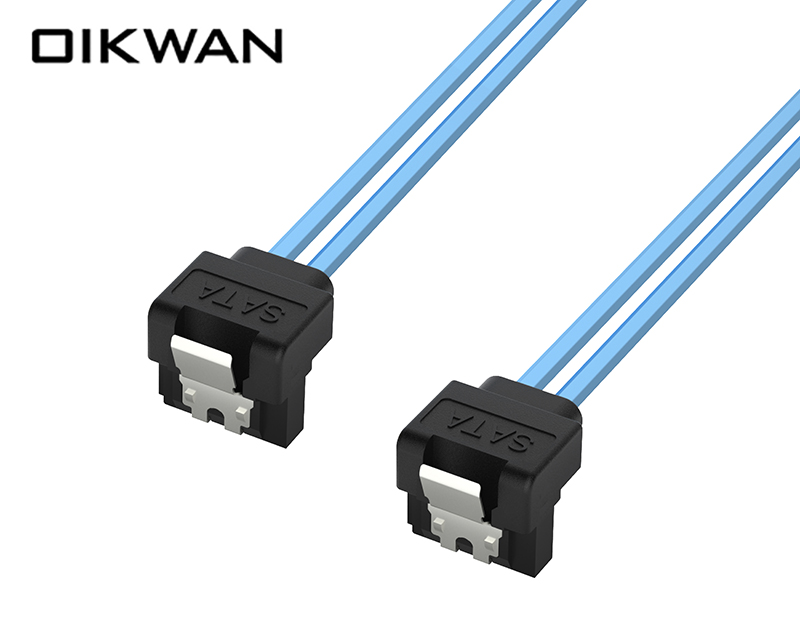
When installing a sata hard drive, you need to follow the following steps to connect the SATA data cable:
1. Find the slot marked "SATA" on the motherboard. These slots are usually distinguished by different colors, such as blue, black or white.
2. Insert one end of the SATA data cable into the slot marked "SATA" on the motherboard to ensure that the connection is firm and in the correct direction.
3. Find the interface jack with the logo "SATA" or similar words on the hard disk.
4. Insert the SATA data cable that is not connected to the motherboard at the other end into the corresponding position of the hard disk, and also pay attention to the direction and stability.
Things to note
1. When connecting the SATA data cable, pay attention to the direction of the plug and avoid forcibly inserting it to avoid damaging the interface.
2. Make sure all connections are securely installed before starting the computer to check.
3. If you encounter compatibility problems, you can try to adjust the jumper settings on the SATA hard disk to match the SATA mode of the motherboard.
The SATA to SATA hard disk data cable is an important cable connecting the computer motherboard and storage devices. It has efficient data transmission capabilities, good compatibility and convenient hot-swappable functions.
For business cooperation, please contact the following staff:
Niko Peng, phone number:+86 15797958662;